
Still juggling locate tickets through texts, emails, and spreadsheets?
Tickets buried in email threads?
Crews unsure whats assigned or completed?
Office chasing updates all day?
Photos and documentation scattered?
Staff feeling overwhelmed during peak construction season?
When you're paid per locate, speed and clarity matter. Every missed or delayed ticket costs money - and increases liability risk.
Live Ticket Visibility
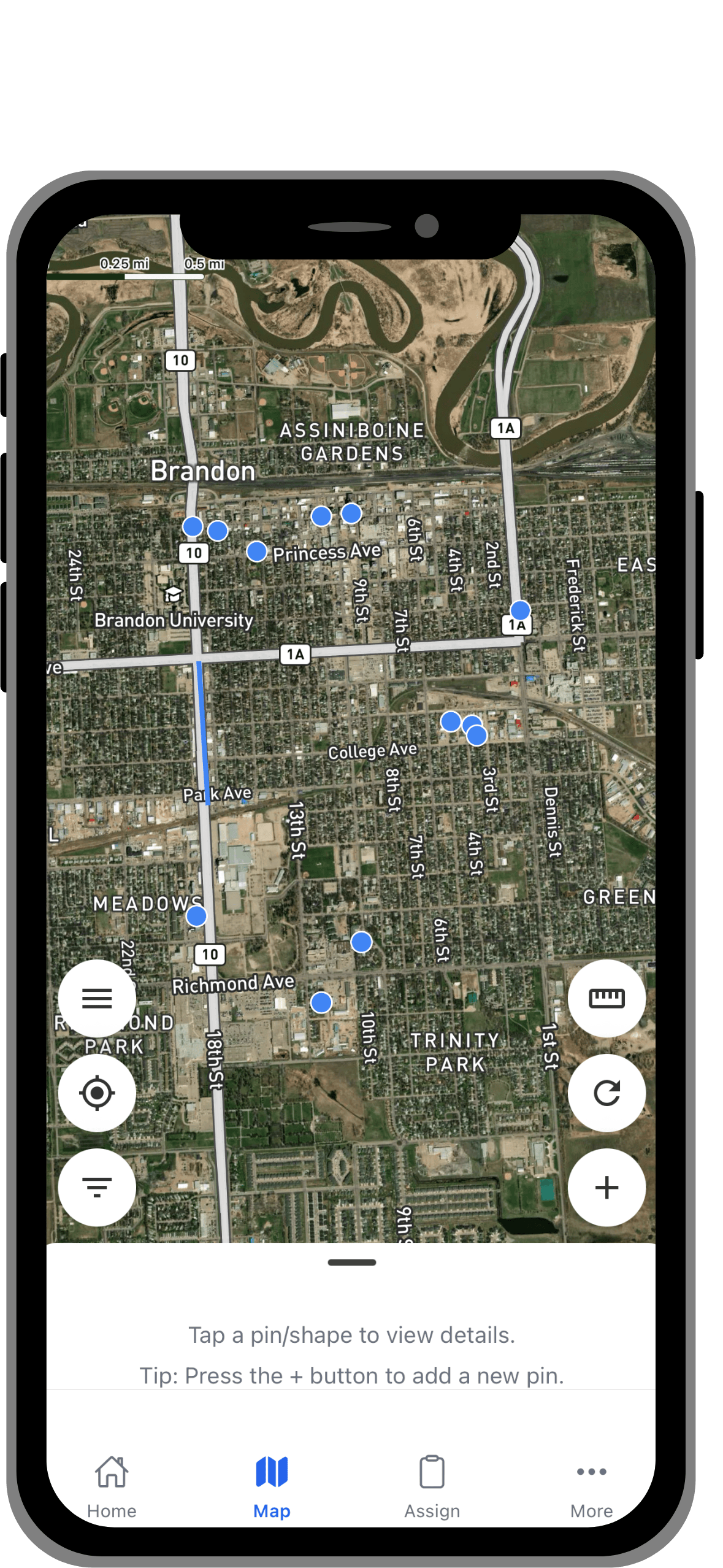
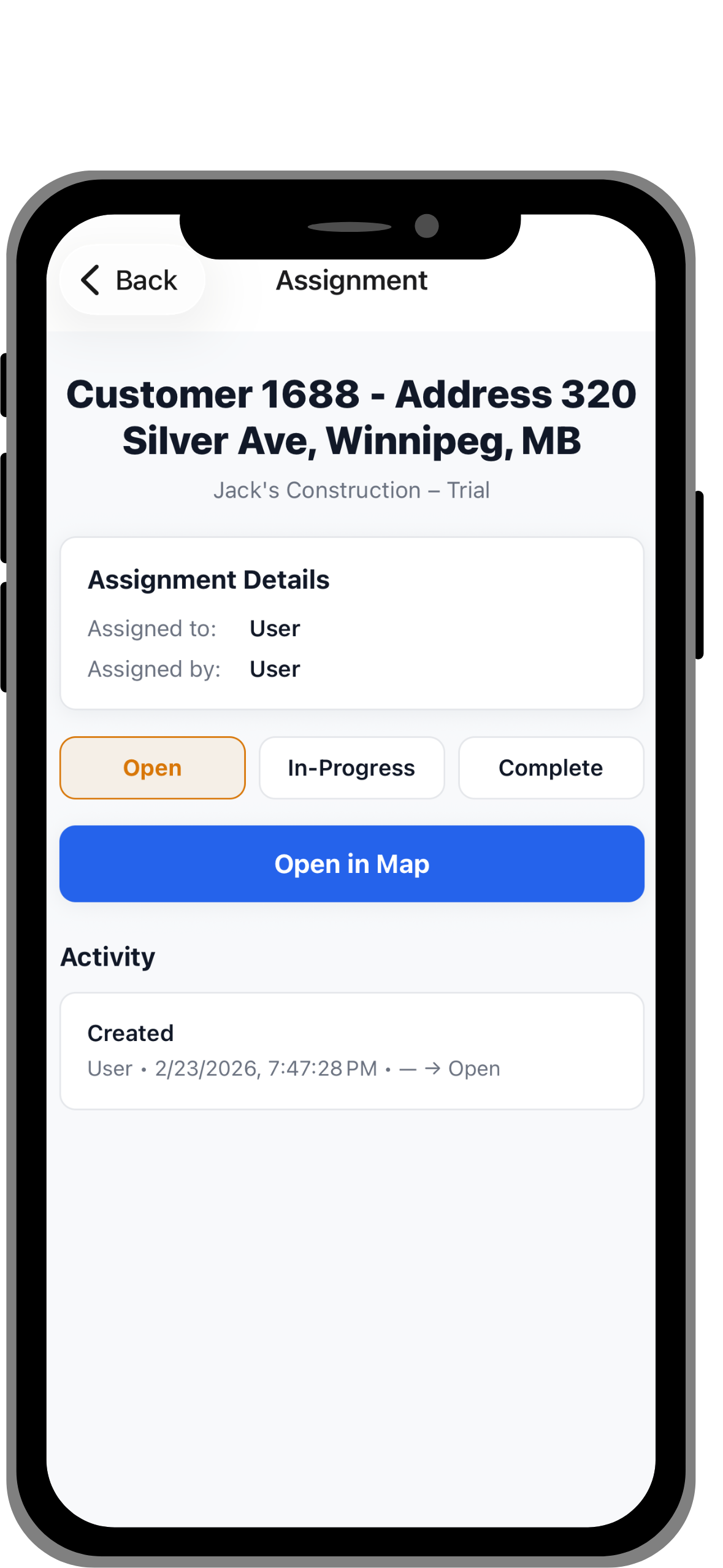
See open, in-progress, and completed locates in real time.
Field-to-Office Sync
Crews update status from mobile. Office sees it instantly.
Spreadsheets
Use Groundwork's spreadsheets to easily create multiple pin locations on the map.
Photo & Evidence Capture
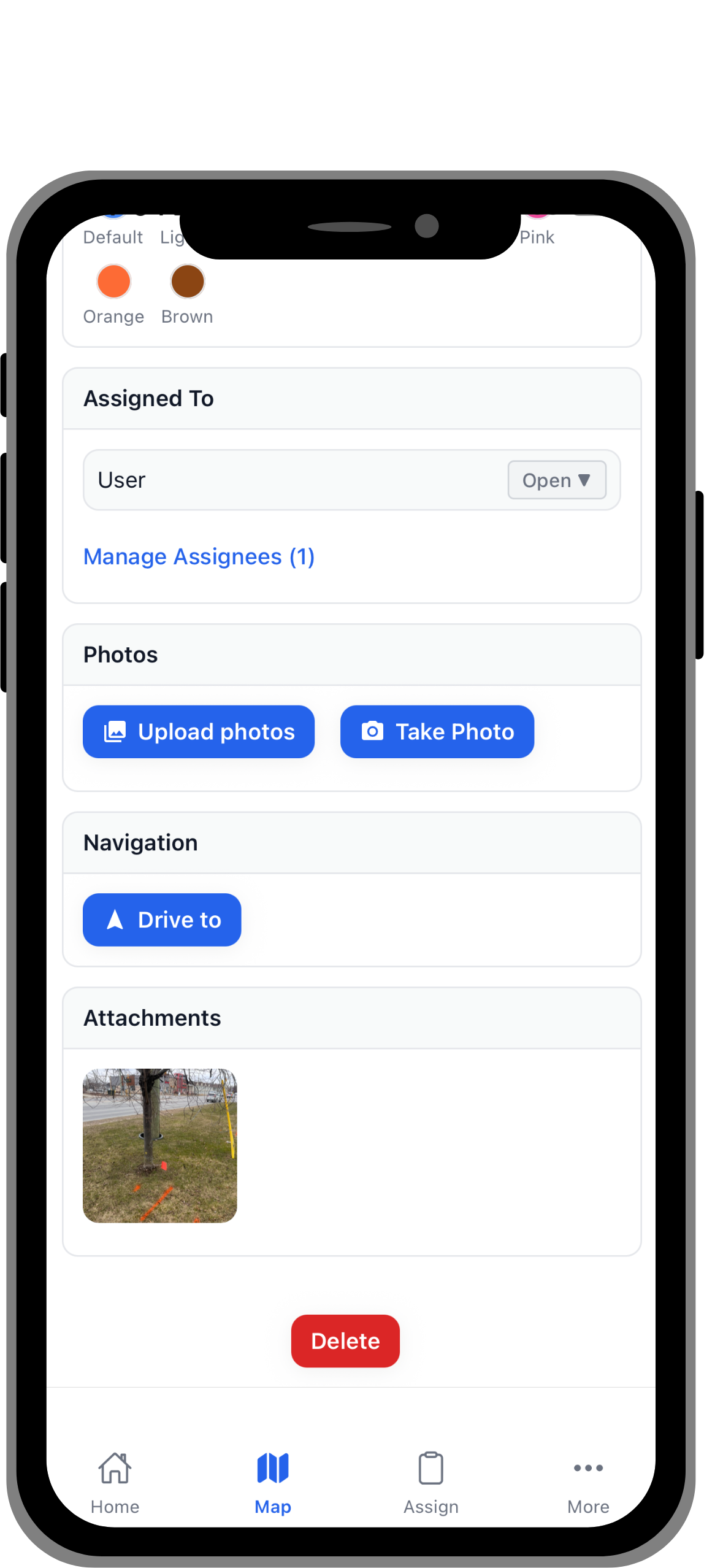
Attach proof directly to the exact location of the ticket.
Assignment Accountability
Every ticket has an owner. No confusion.
Audit-Ready Records
All documentation is tied to map locations and timestamps.
If a locator completes 1-3 more tickets per day at $40 per ticket, that's $40 - $120 extra revenue per tech, per day.
Our Starter plan = $99/month
The software pays for itself in a single day
.png)
.png)
.png)
Need more information? Reach out to us at: info@pocketrobot.ca
Cancel at anytime if you're not satisfied. All we ask for is your feedback.
Groundwork is designed for teams managing utility locates. Whether you’re coordinating a few field members or hundreds, Groundwork brings structure, visibility, and accountability to your operations.
Small to Mid-Sized Utility Locate Contractors
Coordinate utility locates, track locate status, and keep crews aligned with real-time updates tied directly to location.
Teams Handling High Ticket Volumes
Manage hundreds of locates per day with operational clarity.
Companies Paid Per Completed Locate
Each ticket completed means more money made and less time wasted.
Operations That Need Speed and Documentation Clarity
One person can oversee 100's of tickets without relying on disconnected spreadsheets or manual coordination.
Groundwork is currently not For:
Large enterprise GIS departments
Government planning agencies
Up and running in minutes — no IT setup, no training required.
Step 1: 7-Day Free Trial
Use the form to sign up for the app for free. You'll be sent a link to your email to setup your Groundwork account.
Step 2: Choose your Tier
At anytime during or after the free trial, use the Upgrade Plan button inside the app, choose the tier you would like to purchase to continue using the app. If you're interested in the Enterprise tier, or to have additional customizations applied, reach out to our team here.
Step 3: Go Live
Start inviting the rest of your team, and you’re ready to start managing work inside Groundwork


Q: Do you offer a demo or trial?
Yes, we offer a 7-day free trial. Plans can be upgraded at any time during or after the trial.
Q: How long does setup take?
Setup time is as simple a filling out the form. After the form is filled out, you will be sent an email to set up your account.
Q: How is my company's data stored?
Groundwork data is stored inside Microsoft Cloud infrastructure. All data is encrypted while in transport and at rest using industry standard methods such as TLS 1.2. For more information, please read our Terms of Service and Privacy Policy.
Q: How are payments handled?
Payments are handled through Stripe. Pocket Robot does not handle or store credit card information.
Q: Can I upgrade or change plans later?
Absolutely. Plans can be upgraded as your team or project needs grow.
Q: Can I cancel at anytime?
Yes, you can cancel your free trial at anytime.
If you're on a paid plan, cancellations can be done inside your Customer portal, or by contacting us here: info@pocketrobot.ca
Q: Is there a mobile app?
Yes, both the mobile app and web app is included in all tiers.
Groundwork is designed to work seamlessly on mobile devices for field crews. Currently only available on iOS. Android will be available by June 2026
Q: What kind of support is included?
All plans include support via email.
Professional and Enterprise plans include priority response and onboarding assistance.
Q: Can this replace our spreadsheets?
Not entirely. Spreadsheets within Groundwork are simplified and best used for in-app processes.
Contact us with any questions or concerns:
Built in Canada for Canadian Utility Operations